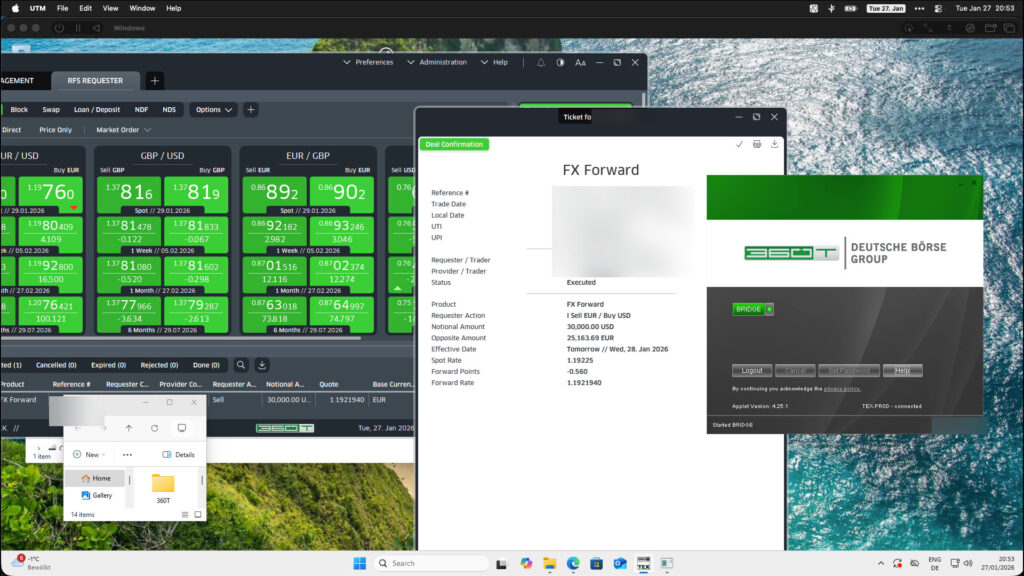
I am transitioning work onto a Mac, and one of the applications I needed was 360T to buy USD – it is the tool which my bank recommended me for interacting with them.
The link for macOS didn’t work, and also they said something about needing a separate licence for a Mac (vs. Windows).
So I decided to bring Windows to the Mac, in order to run 360T.
I bought a licence for Windows 11 for about 30 € from lizenzstar.de – the shop seems legitimate.
I used UTM, and installed Windows 11 for ARM on it. Along with the UTM extensions (which are needed for increasing the screen resolution size)
Note: you need the version for ARM – the x86 version will not run well on Apple Silicon Macs.
After that, I just ran the 360T EXE file which my banker linked (on a whim, I actually thought I would need the Java version due to the Apple Silicon / the ARM build)
Surprisingly it just worked! It installs 360T.
If you want to use the same access on multiple computers, you need to copy one single file, as I have described in this article about the 360T certificate file.
 English
  Deutsch
  Italiano
  Français
  Español
  Nederlands
  Svenska
  简体中文
简体中文  日本語
日本語